Rules & rollouts in the UI
Building targeting rules and setting rollout percentages.
Targeting rules and rollouts are set per environment on a flag's detail page. This page covers building them in the UI; for the underlying model, see Targeting rules and Percentage rollouts.
Building rules
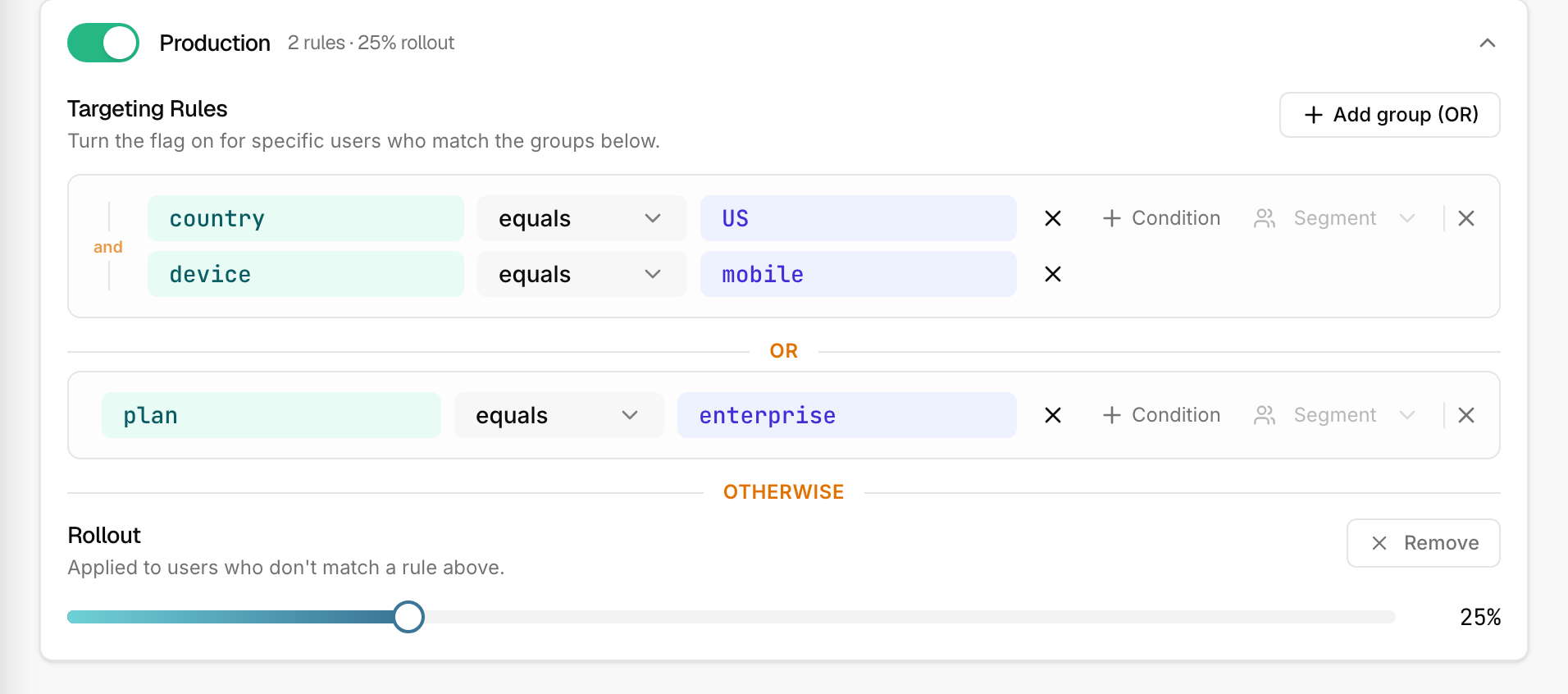
Each environment section has a rule builder. The structure is groups of conditions:
- Add a condition to a group — pick an attribute (e.g.
plan), an operator (e.g.equals), and a value (e.g.enterprise). - Add more conditions to the same group to require all of them — conditions within a group are ANDed.
- Add another group for an alternative — groups are ORed. A user matching any group in full gets the enabled value.
This builds the "OR of ANDs" logic described in
Targeting rules. The attributes you type here are the
keys you'll pass in the SDK's user object.
Attaching a segment
A group can also reference a segment — a reusable named audience defined in the project's Segments area. Attach a segment to a group and it's AND-ed in like any other condition. Edit the segment once and every flag that uses it updates. Segments are expanded inline when the config publishes, so your SDK only ever sees plain conditions.
Setting a rollout
By default a flag has no rollout — when enabled, it serves to everyone who isn't otherwise targeted. To release gradually, set a rollout percentage: a slider appears once you opt into a rollout. Set it to 10, watch your metrics, then raise it.
Bucketing is deterministic and stable as you ramp — see Percentage rollouts. Users who match a rule get the flag regardless of the rollout; the percentage only governs the rest.
Save to publish
Rules and rollouts follow the same explicit-save model as everything else. Build your targeting, review it, then Save — that publishes one new config for the environment.
Test before you trust it
Use the Playground to check how a flag evaluates for a sample user before you rely on it — pick a project and environment, enter a user context, and see which group matched and why. It uses the real SDK evaluator, so it matches what your app will do.
Next
- Rule operators — every operator, with examples.
- Evaluation order — exact precedence.